Fixation Reading + AI Chat + Text-to-Speech
Read Faster.
Retain More.
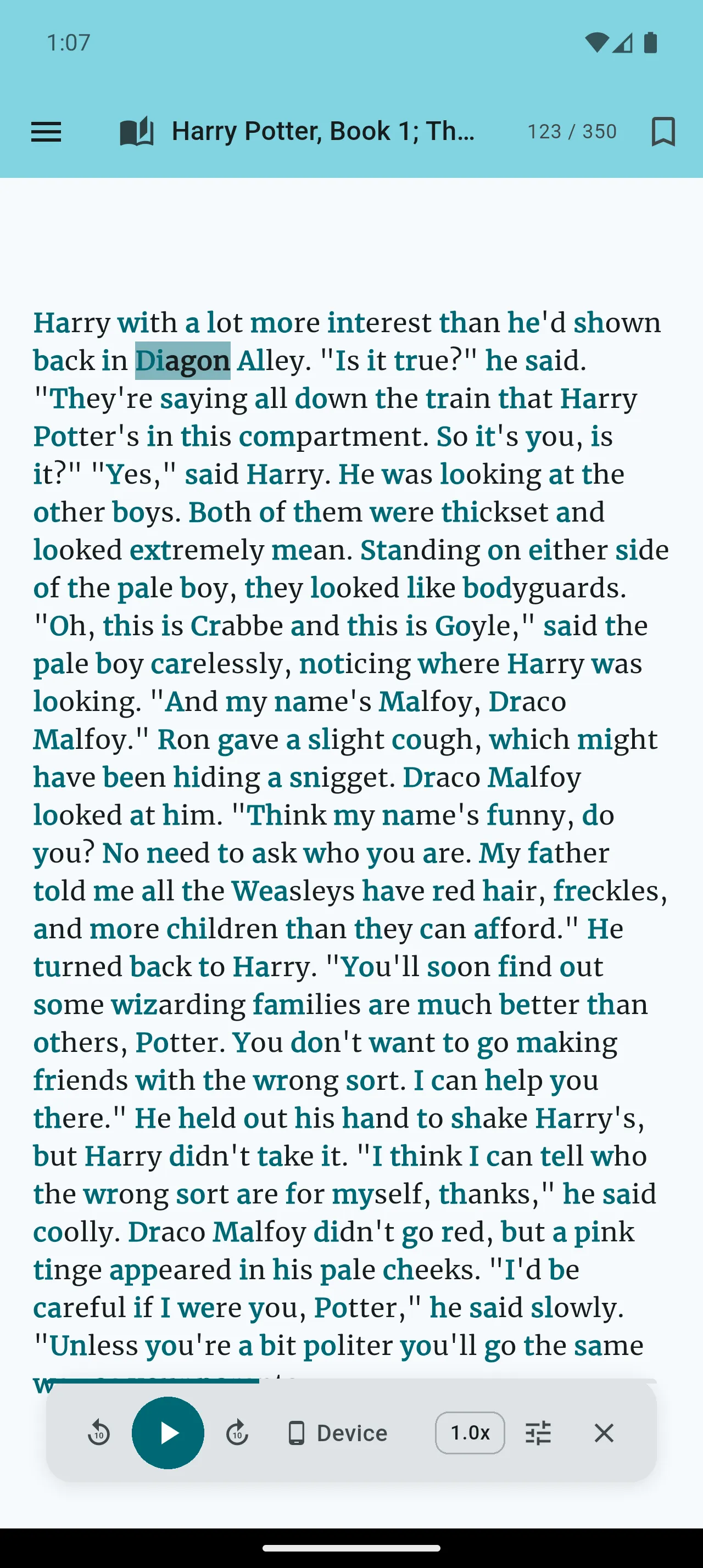
Read faster and retain more with our proven fixation reading method. By bolding the start of words, we guide your eyes through text, helping your brain complete words instantly for a smoother, more focused reading experience.
- Scientifically-inspired text formatting
- Automatic word highlighting
- Reduces eye fatigue
- Improves reading speed

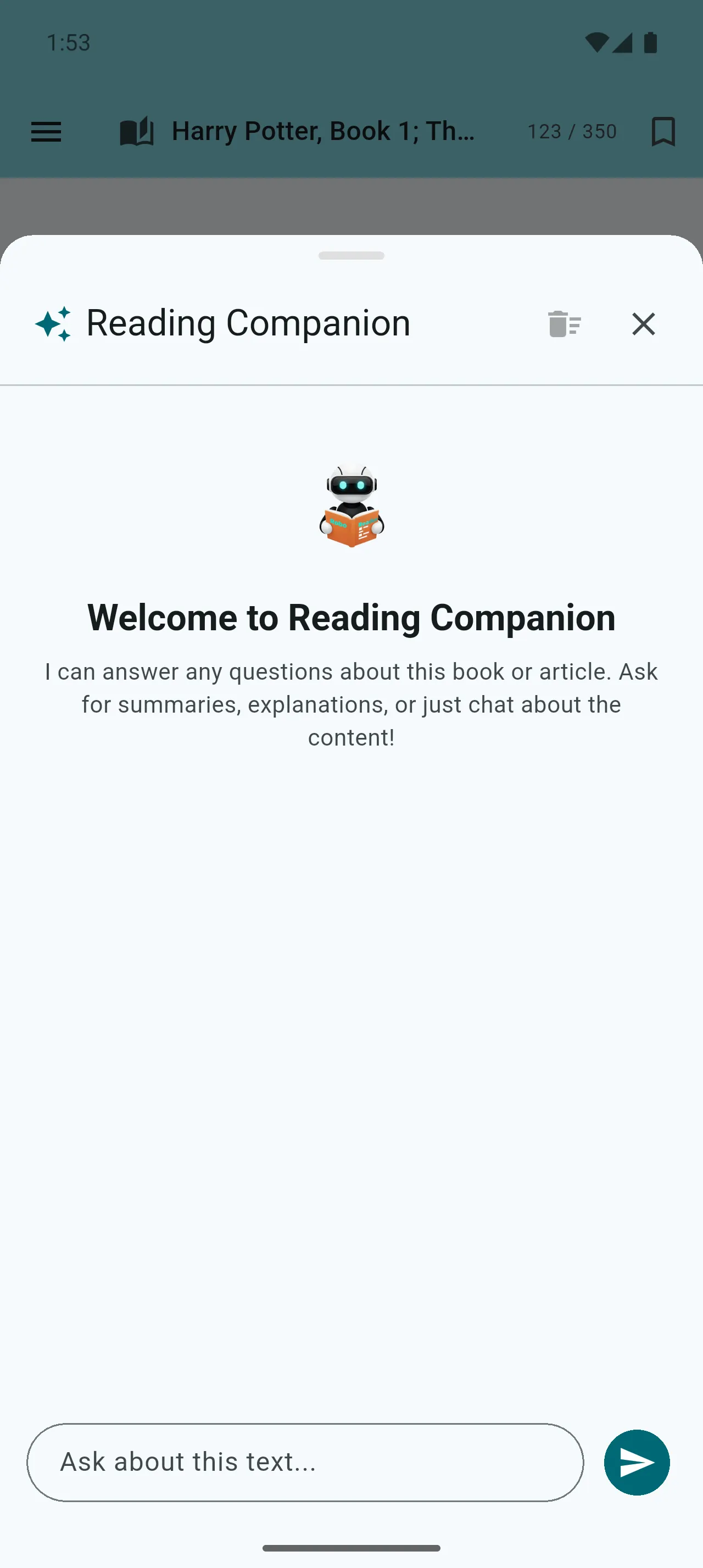
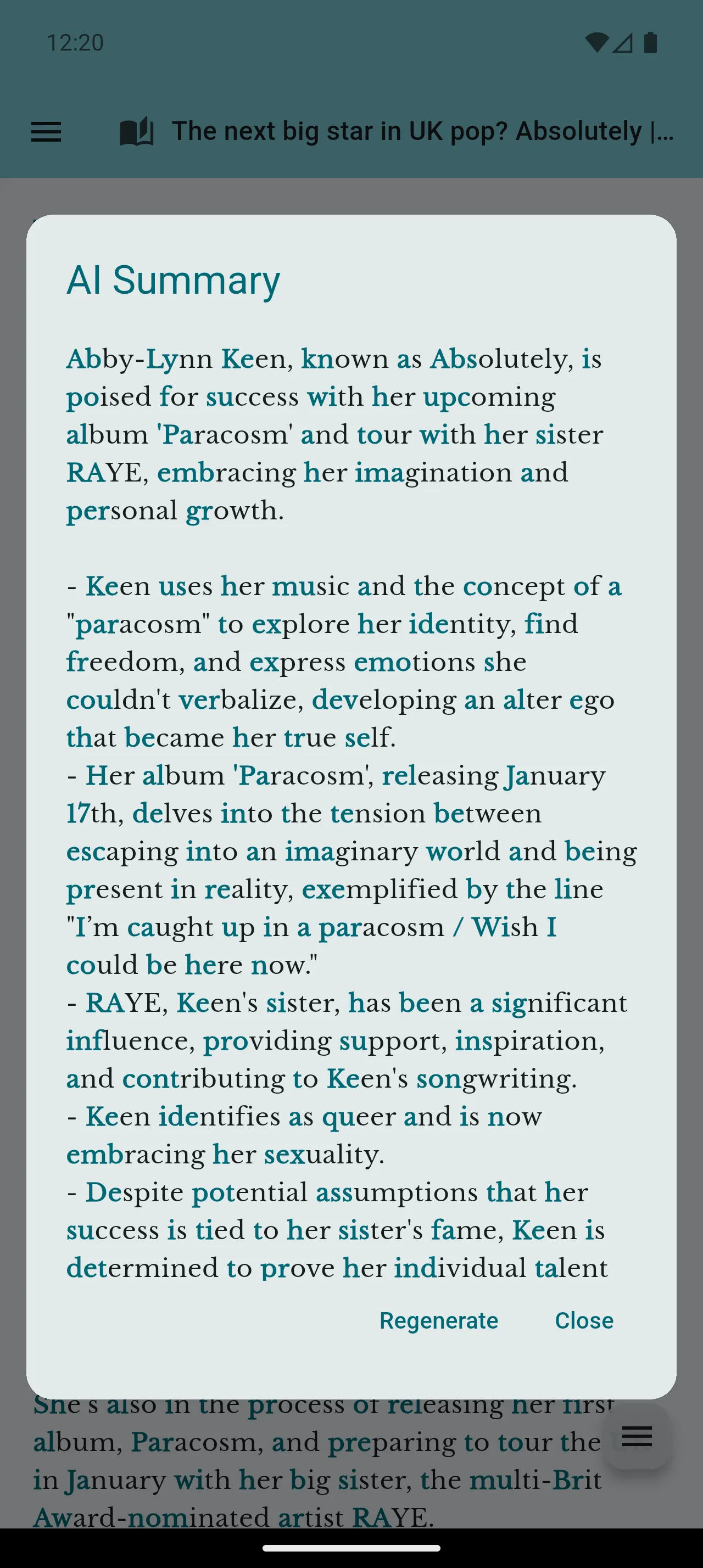
Fixation Reading
Swipe to explore · tap to zoom
Powerful Features for Better Reading
Everything you need to transform your reading experience, from AI-powered tools to customizable settings.
Personal Library
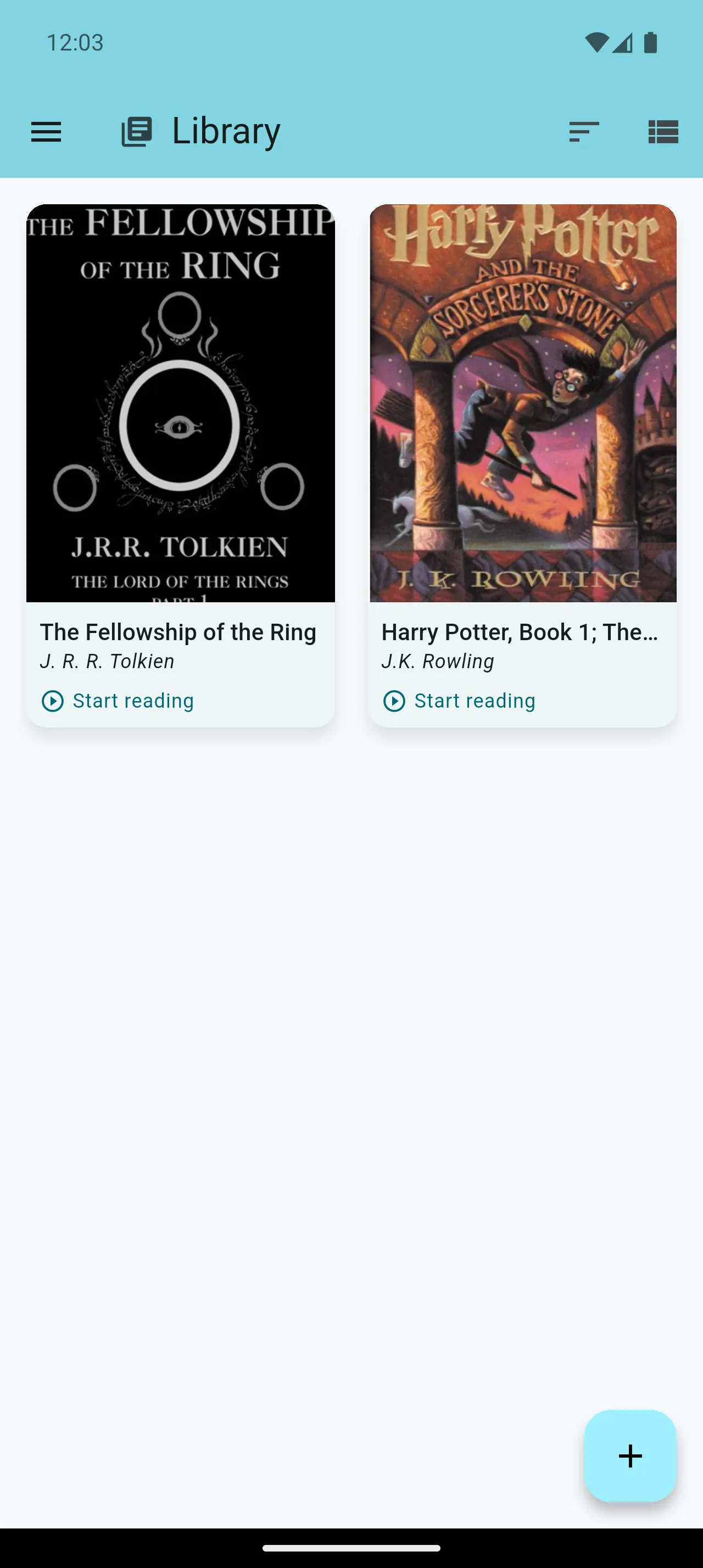
Build your personal library by adding PDF books. Every book shows clear progress on its cover, and each title can live as an optimized Speed Reading copy, as the original PDF, or both — side by side in the same library.
- Import PDF books in seconds
- Speed Reading & Original PDF live together
- Progress tracking on every cover
- Welcoming empty state for new users
Open PDFs Directly, Your Way
Choose Robo Reader when opening a supported PDF in Android. Select Always where Android offers it to use Robo Reader as your preferred PDF app. New PDFs open temporarily in their original layout and stay out of your library unless you choose Save to Library or Prepare for Speed Reading.
- Choose Robo Reader from Android’s “Open with” picker
- Select Always where Android offers the option
- Read new PDFs temporarily without adding them to your library
- Save the original PDF only when you choose
- Prepare for Speed Reading in the background
Web Articles & Distraction-Free Reading
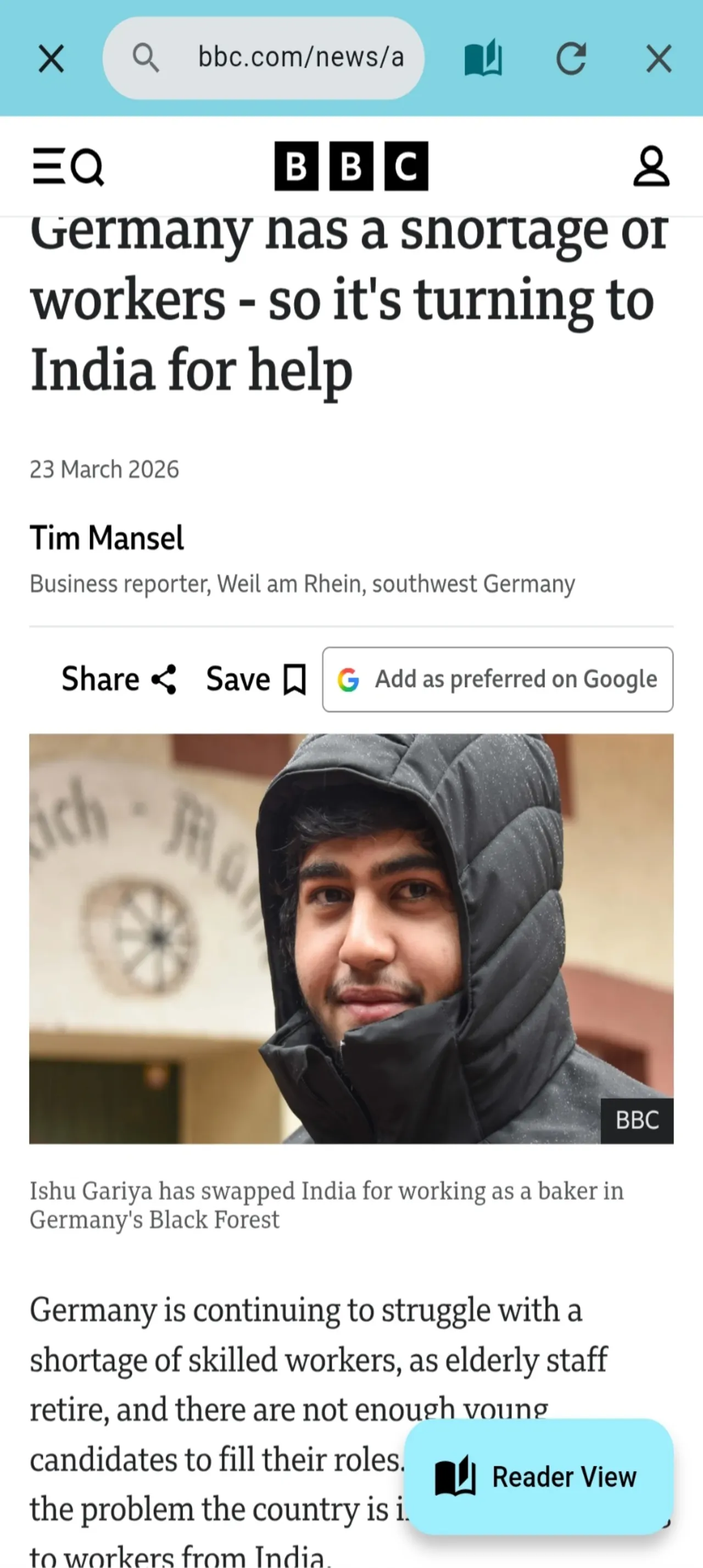
Import web articles to enjoy a clean, distraction-free reading environment without ads or clutter. The browser's action button gives you clear "Reader View" and "Save for Later" options, and duplicate articles are detected automatically.
- Reading progress bars on article cards
- Relative timestamps ("2h ago", "3 days ago")
- Undo accidental deletes with one tap
- Duplicate detection for saved articles
- Import notification with quick "Open" button
Speed Reader (RSVP)
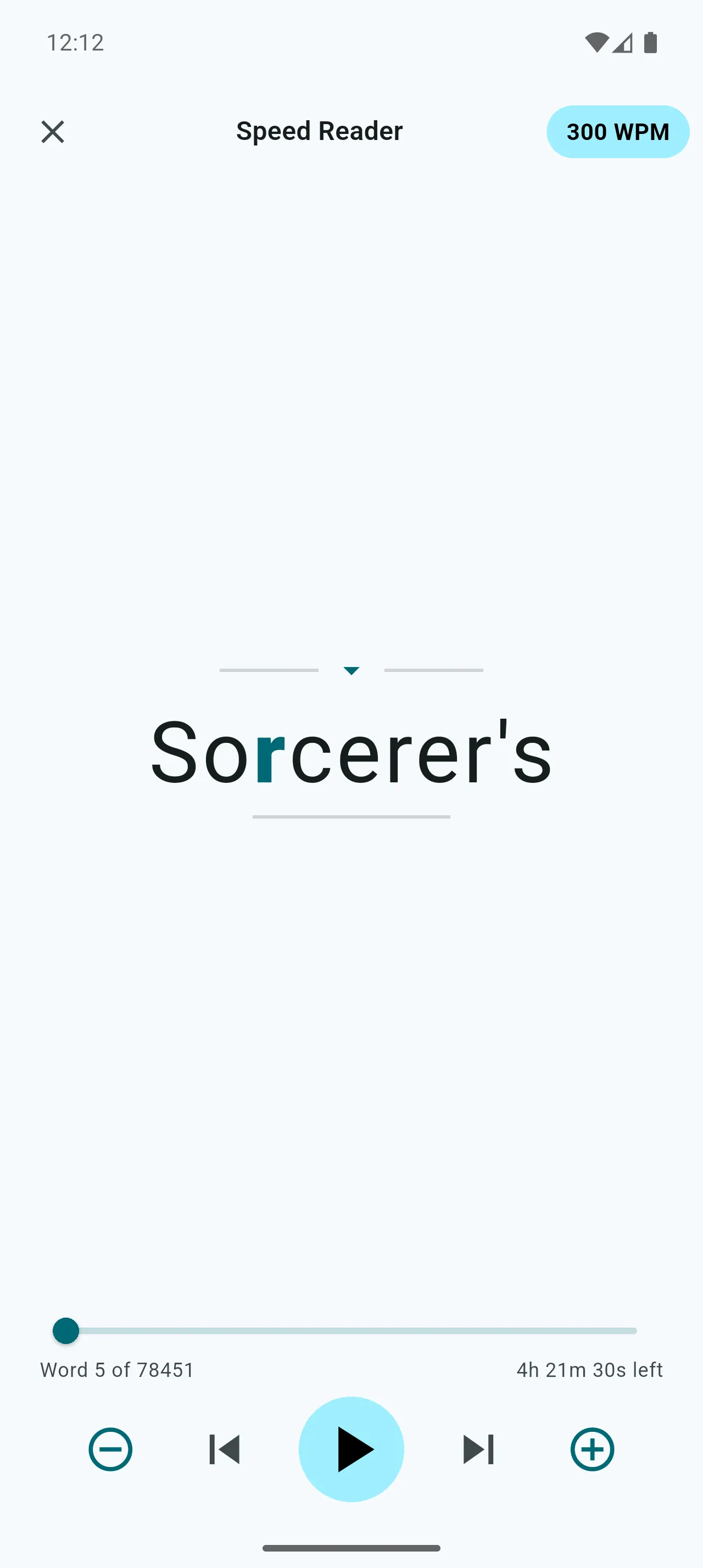
PremiumSupercharge your reading with Rapid Serial Visual Presentation (RSVP). Display text one word at a time at speeds up to 1000 WPM for ultimate focus.
- 100-1000 WPM speed range
- Optimal Recognition Point (ORP) highlighting
- Play/Pause controls with progress seeking
- Smart pauses at punctuation
- Time remaining display
AI Reading Companion
PremiumChat with an AI that understands the context of what you're reading. Get explanations, ask questions, translate text, and dive deeper into the content.
- Context-aware AI chat
- Quick actions: Explain, Summarize, Translate
- Full conversation history
AI Summaries
PremiumGet instant AI-generated summaries of articles and books. Save time by getting the key points quickly without reading the entire content.
- One-tap summarization
- Key points extraction
- Works with books and articles
Text-to-Speech
PremiumTurn any book or article into an audiobook. Listen while you commute, exercise, or relax with natural AI-powered voices that work offline.
- Premium Kokoro AI Voice (works offline)
- Device voice as free alternative
- Word highlighted in real-time
- Adjustable speed & pitch
- Watch ads for bonus TTS time
Even More to Explore
Discover additional features that make Robo Reader unique
Article Reader Mode
Enjoy a polished reader experience for web articles. The bionic reading toggle stays front and center, while font, theme, and save options are tucked into a clean menu. First-time visitors see a gentle hint so nothing feels hidden.
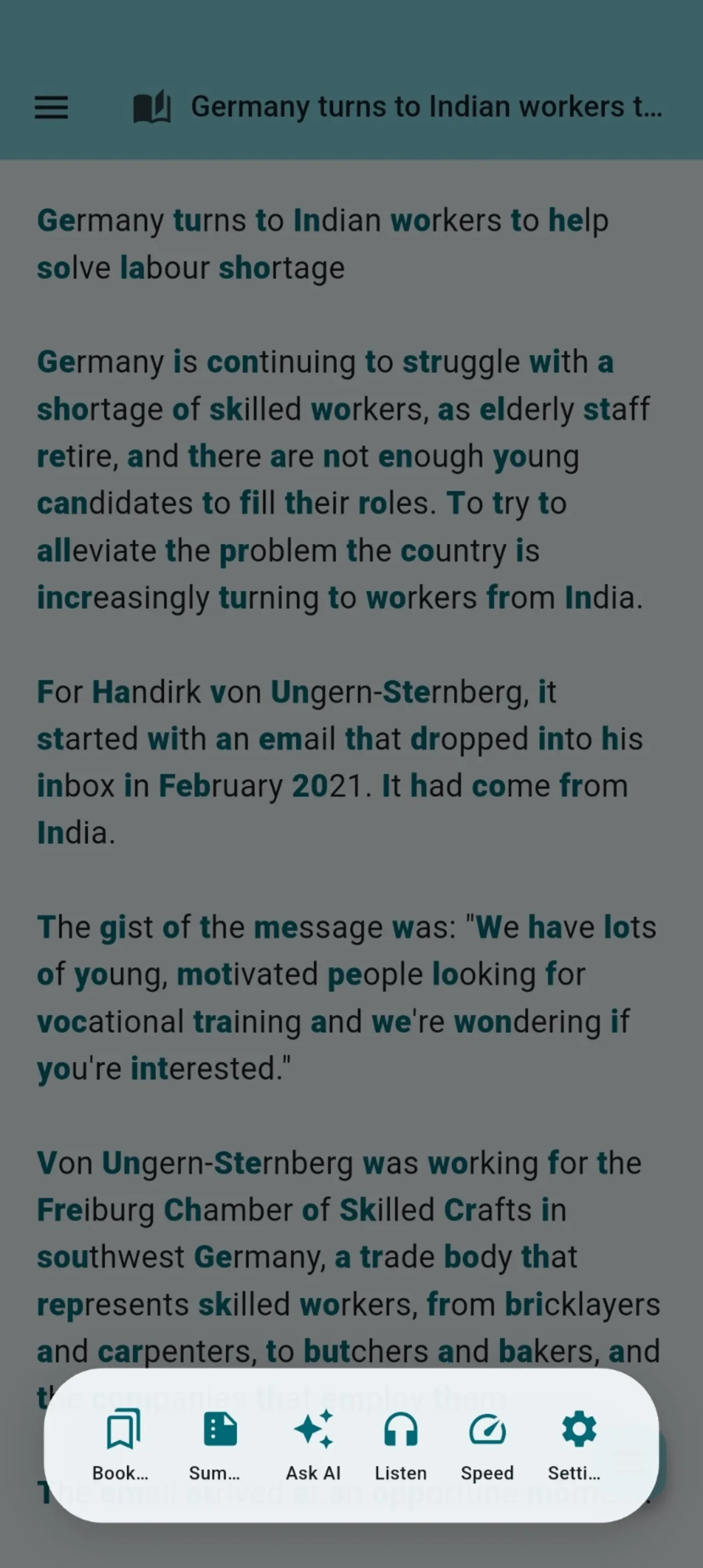
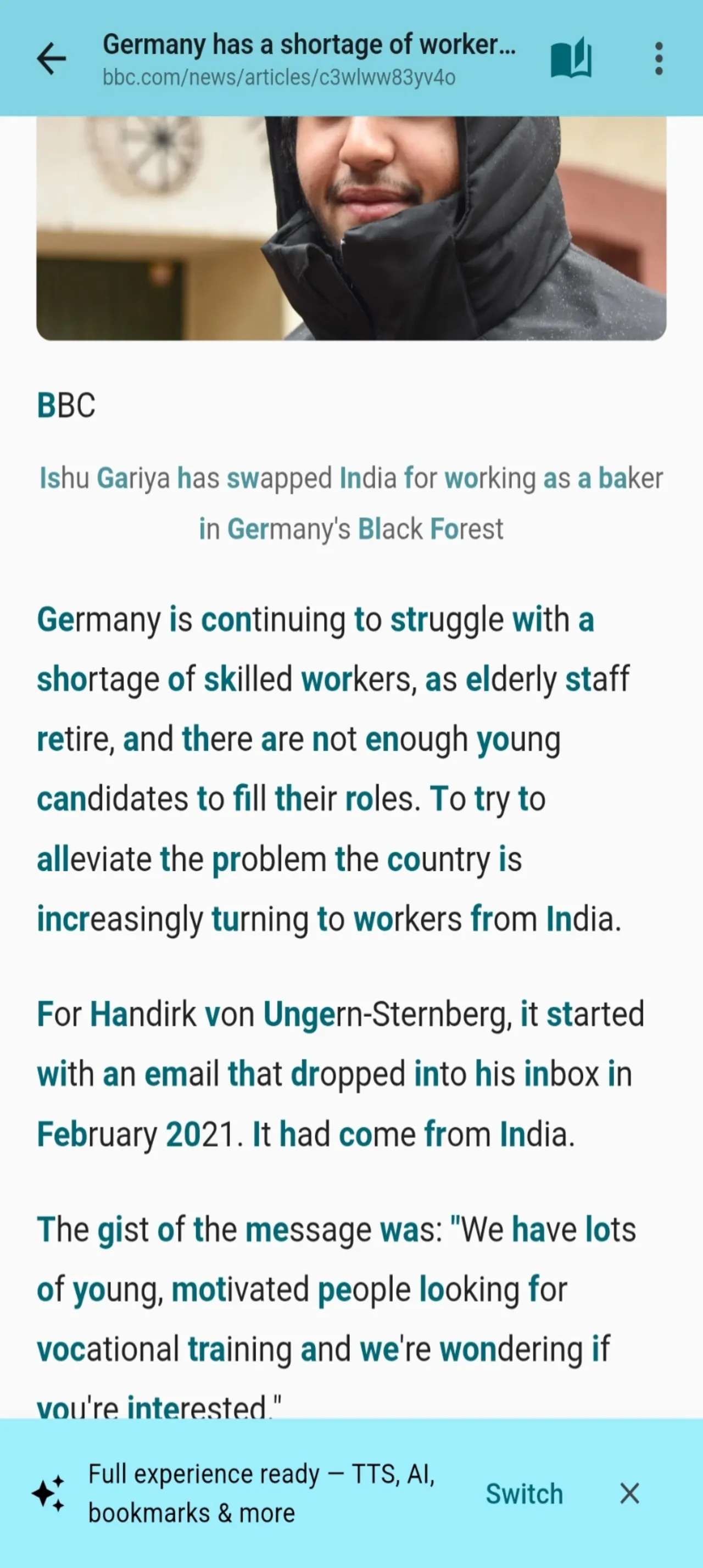
- Bionic reading toggle always visible
- Font, theme & save in tidy menu
- "Tap here for controls" hint for new users
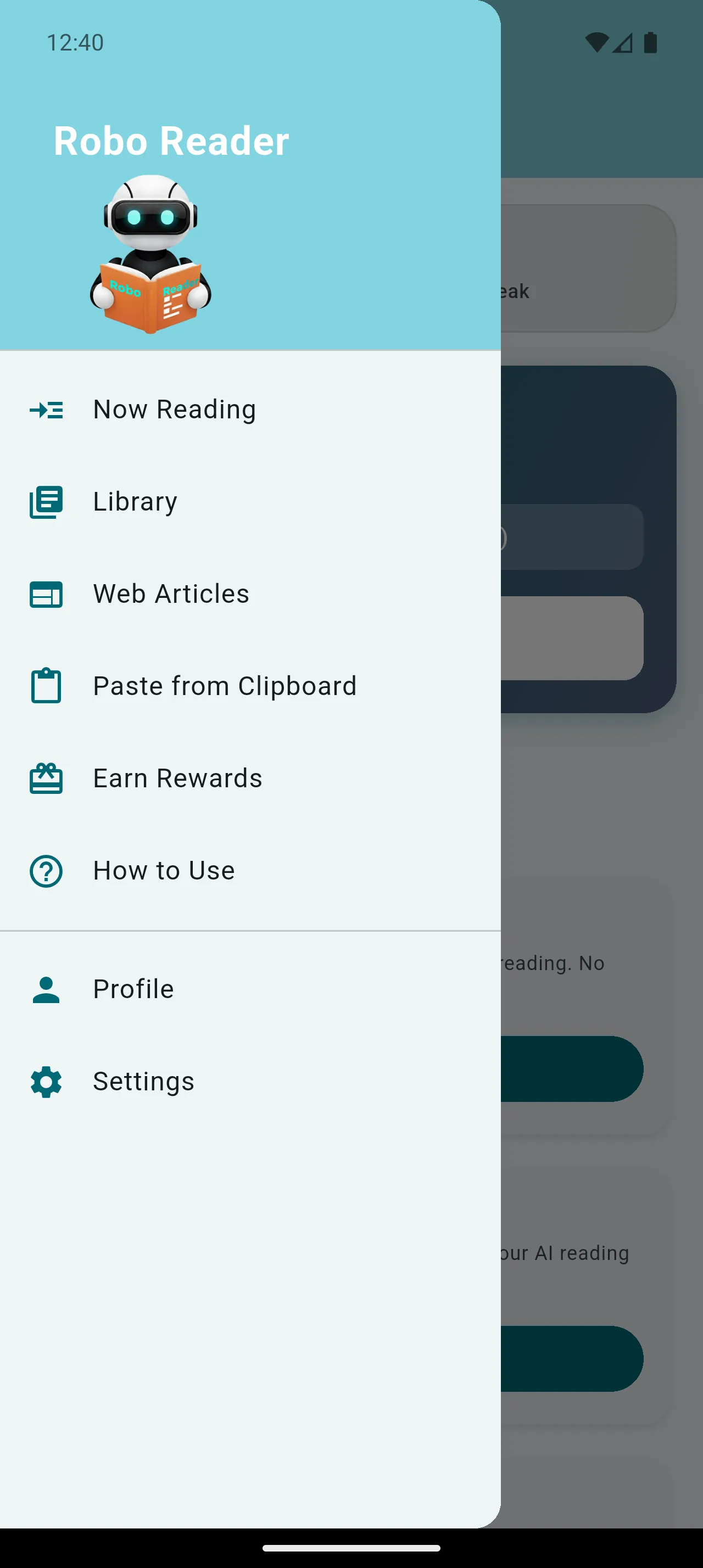
Paste from Clipboard
Instantly convert and read any copied text. Paste content from any app directly into Robo Reader and enjoy fixation reading format immediately.
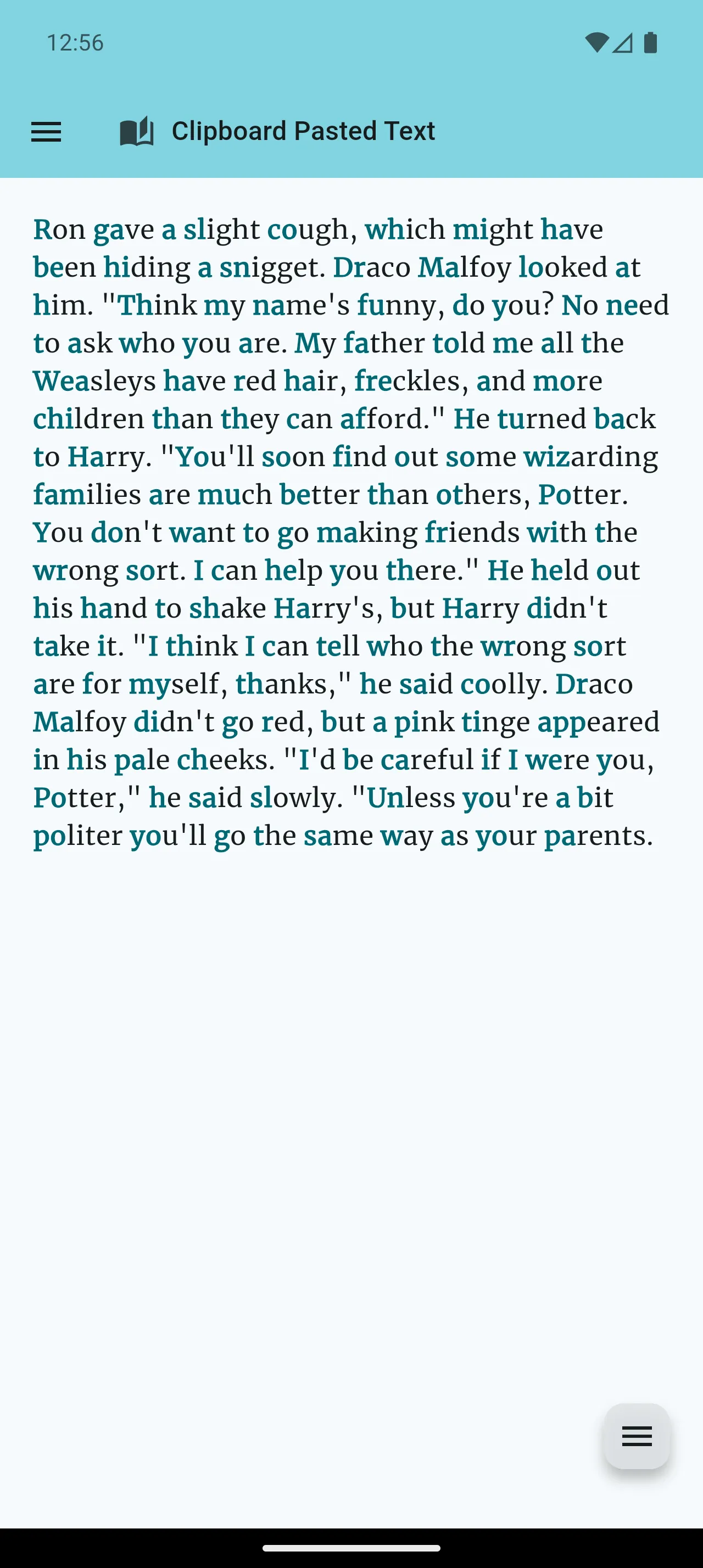
- One-tap paste & read
- Works with any copied text
- Instant fixation formatting
Customization & Themes
Tailor the reading experience to your eyes. Adjust font size, font family, line height, spacing, fixation strength, and switch between Light and Dark modes.
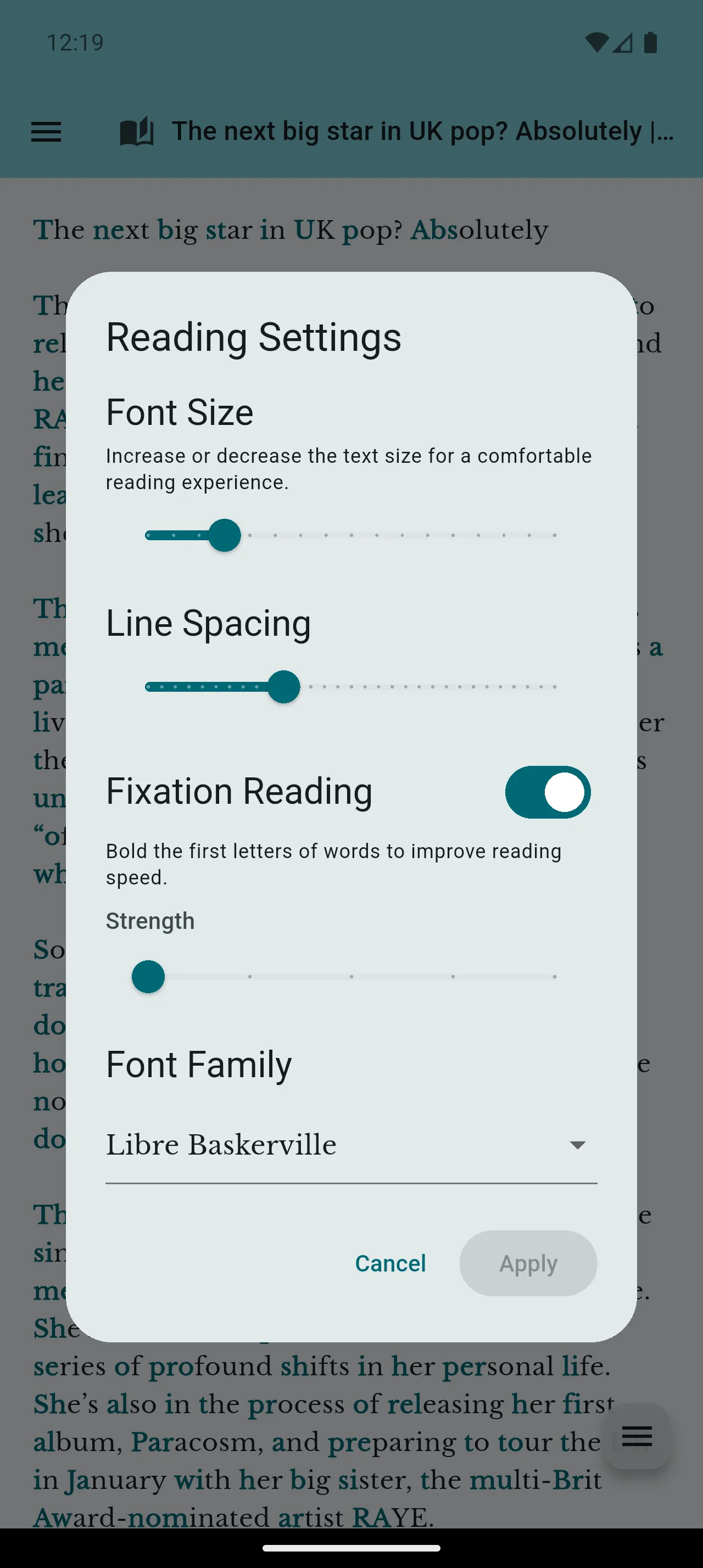
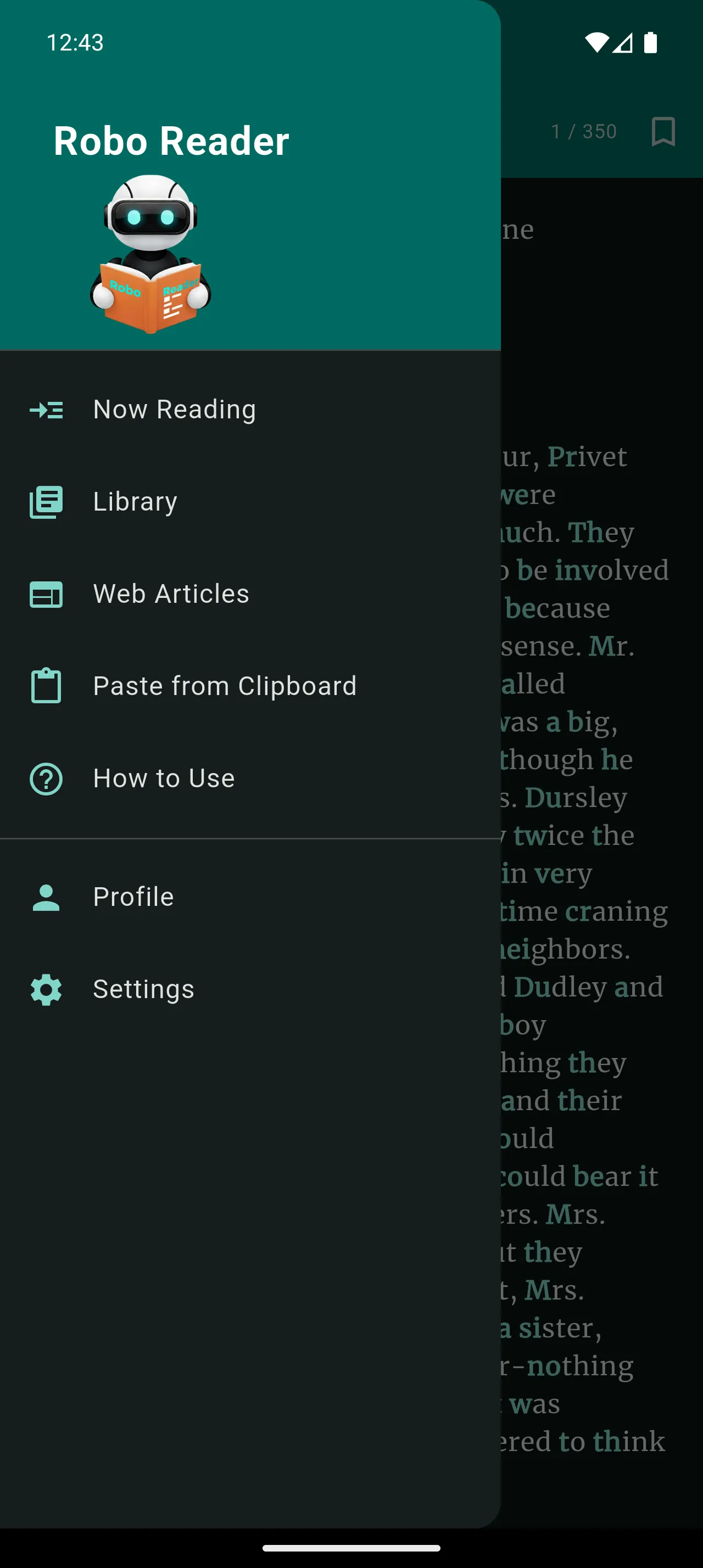
- Free: 3 fonts | Premium: 15 fonts
- Font size, line height & spacing
- Fixation strength control
Earn Rewards & Streaks
Get premium features completely free! Watch short video ads to earn Speed Reader time, AI credits, TTS minutes, and ad-free reading. Build daily streaks to multiply all your rewards!
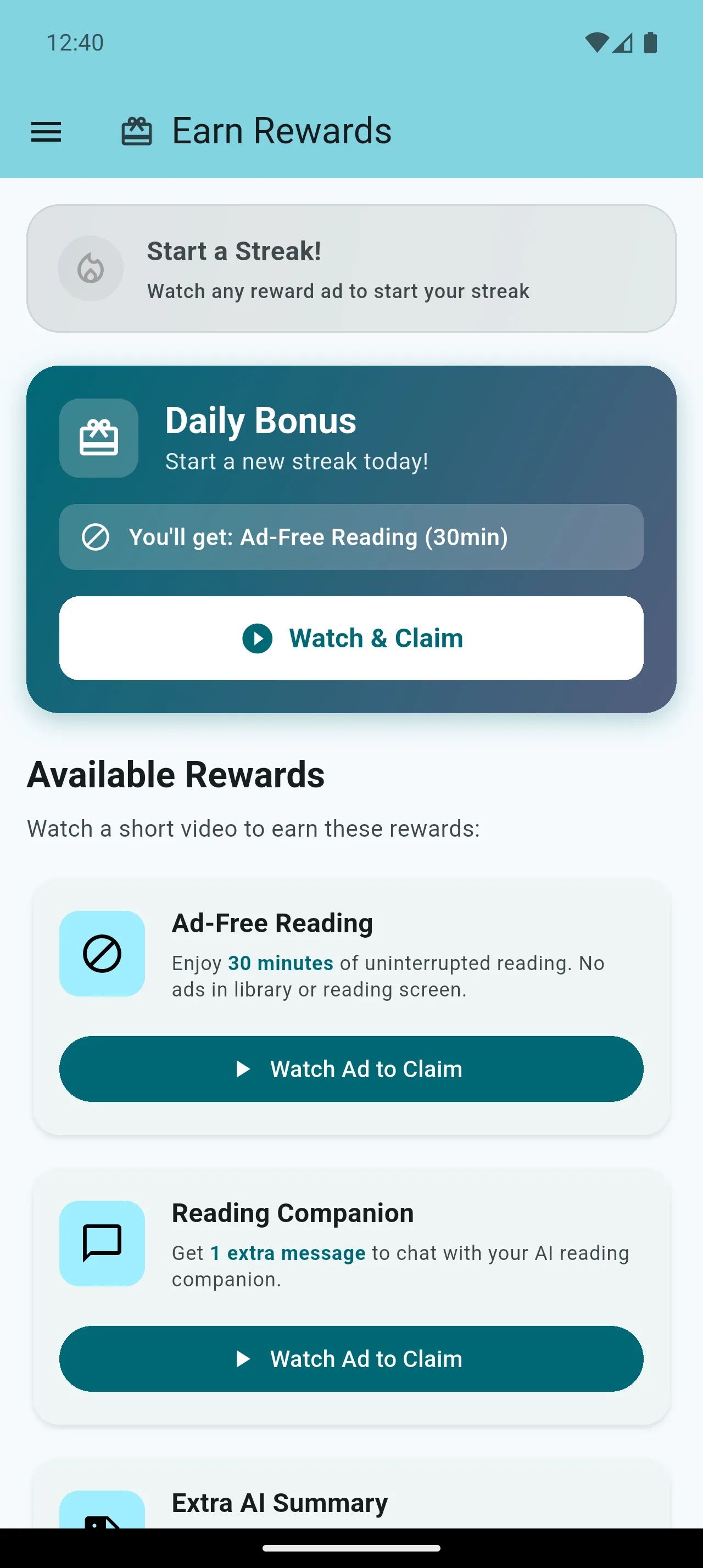
- Unlock Speed Reader, AI & TTS free
- 3-day streak = 1.25x rewards
- 5-day streak = 1.5x rewards
Learn As You Go
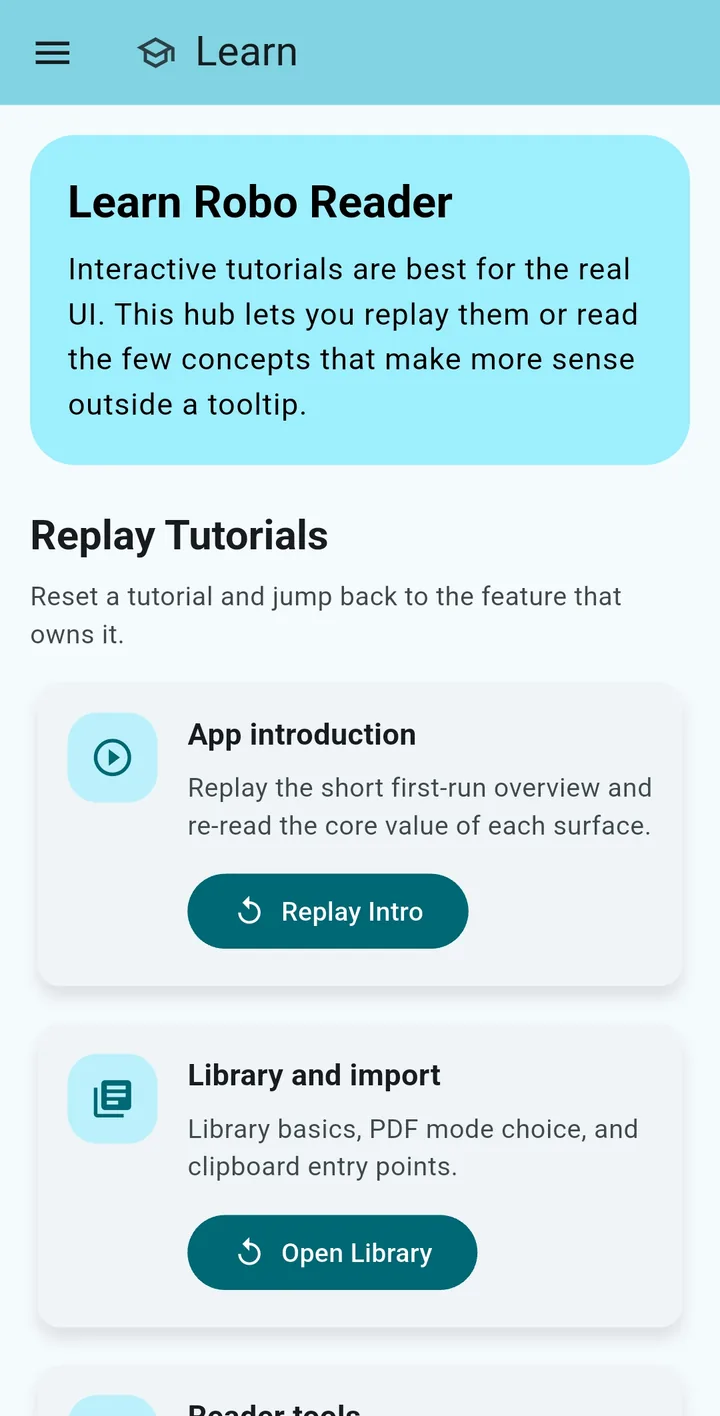
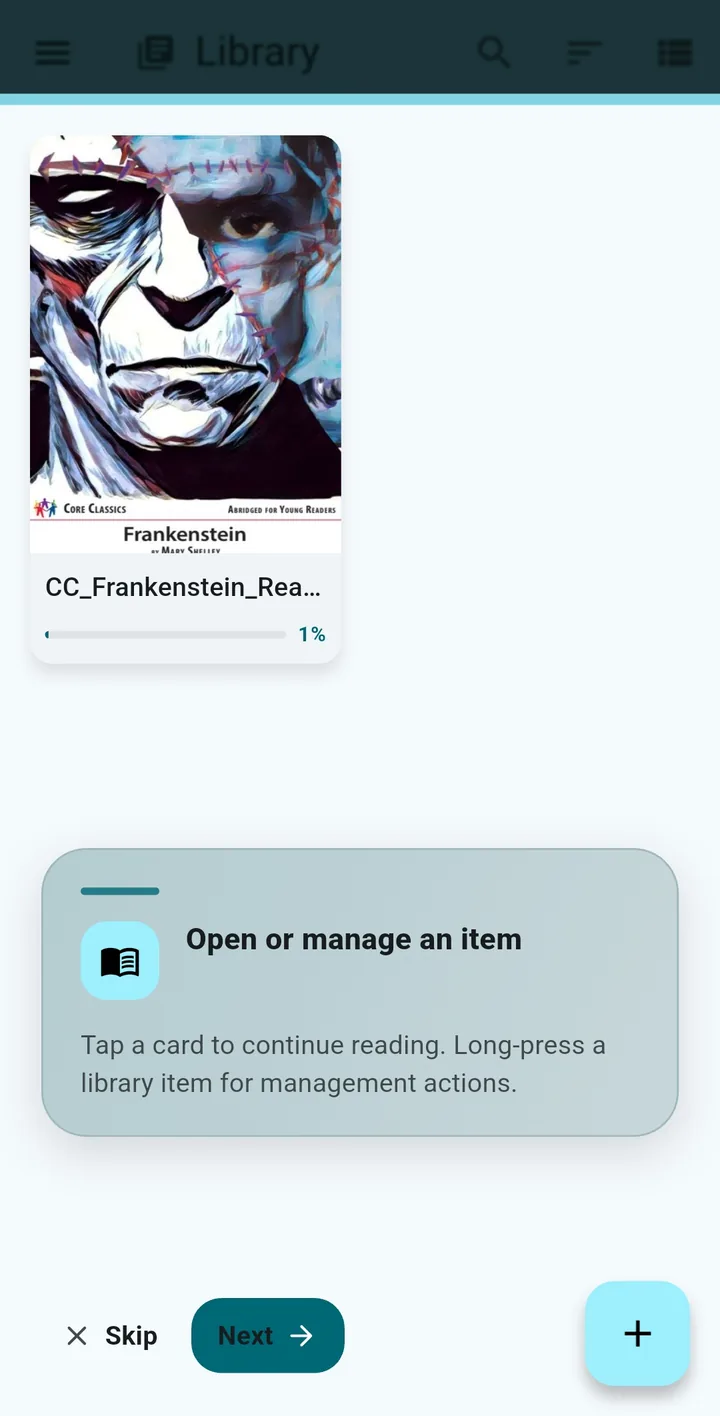
Skip the long upfront walkthrough. A short first-run intro explains the essentials, then interactive tutorials appear right on the real screens — Library, Reader, Speed Reader, AI tools, TTS, web articles, profile, and settings — only when you actually need them. The Learn hub keeps every tutorial replayable anytime.
- Lightweight first-run intro, not a long static walkthrough
- Interactive tooltips appear on first use of each feature
- Theme-aware tutorial cards with safe spacing on every device
Full Settings Control
Fine-tune every aspect of your reading experience. From appearance to reading behavior, customize everything to your preferences.
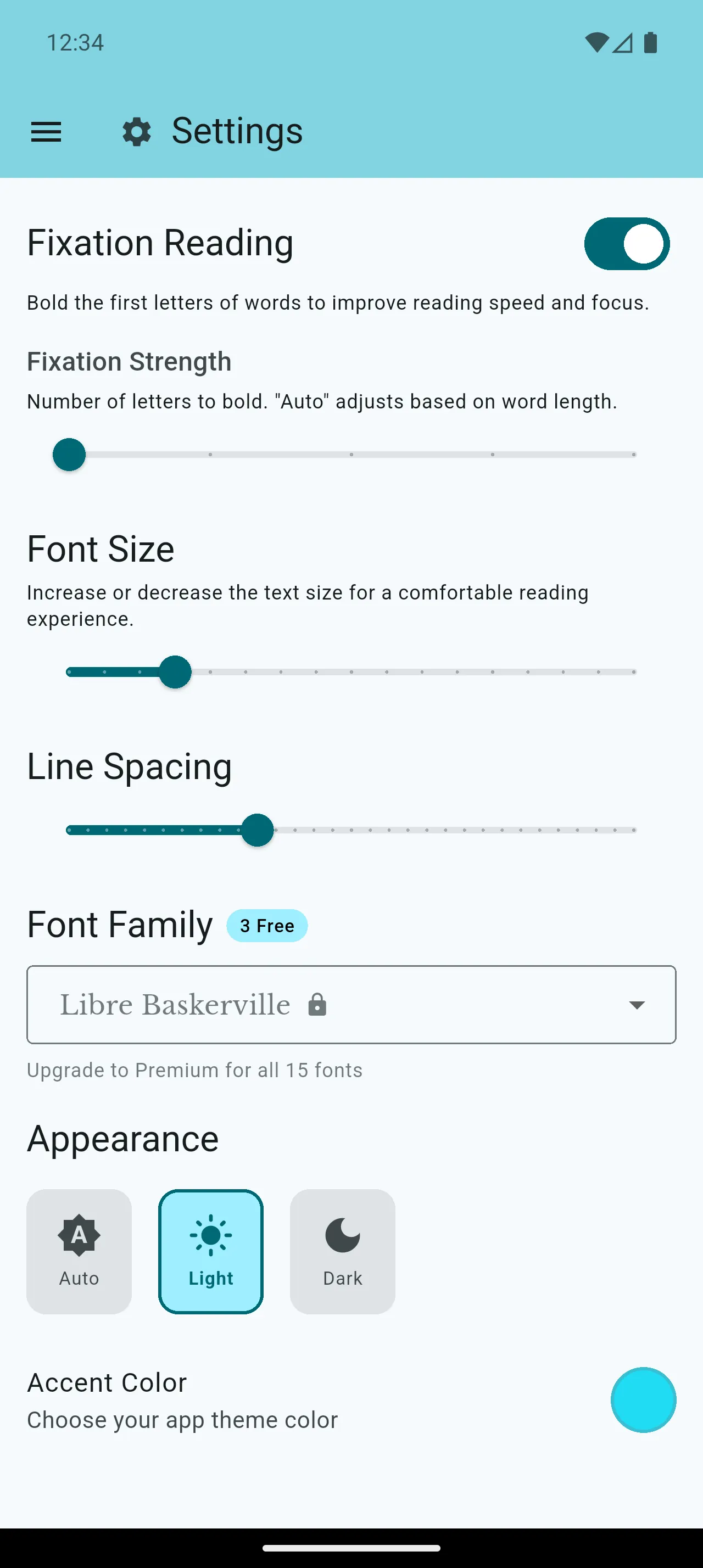
- Appearance settings
- Reading preferences
- Account management
Premium Subscription
PremiumGo Premium for higher fair-use allowances for AI tools and article imports, Speed Reader, premium voices, and ad-free reading.
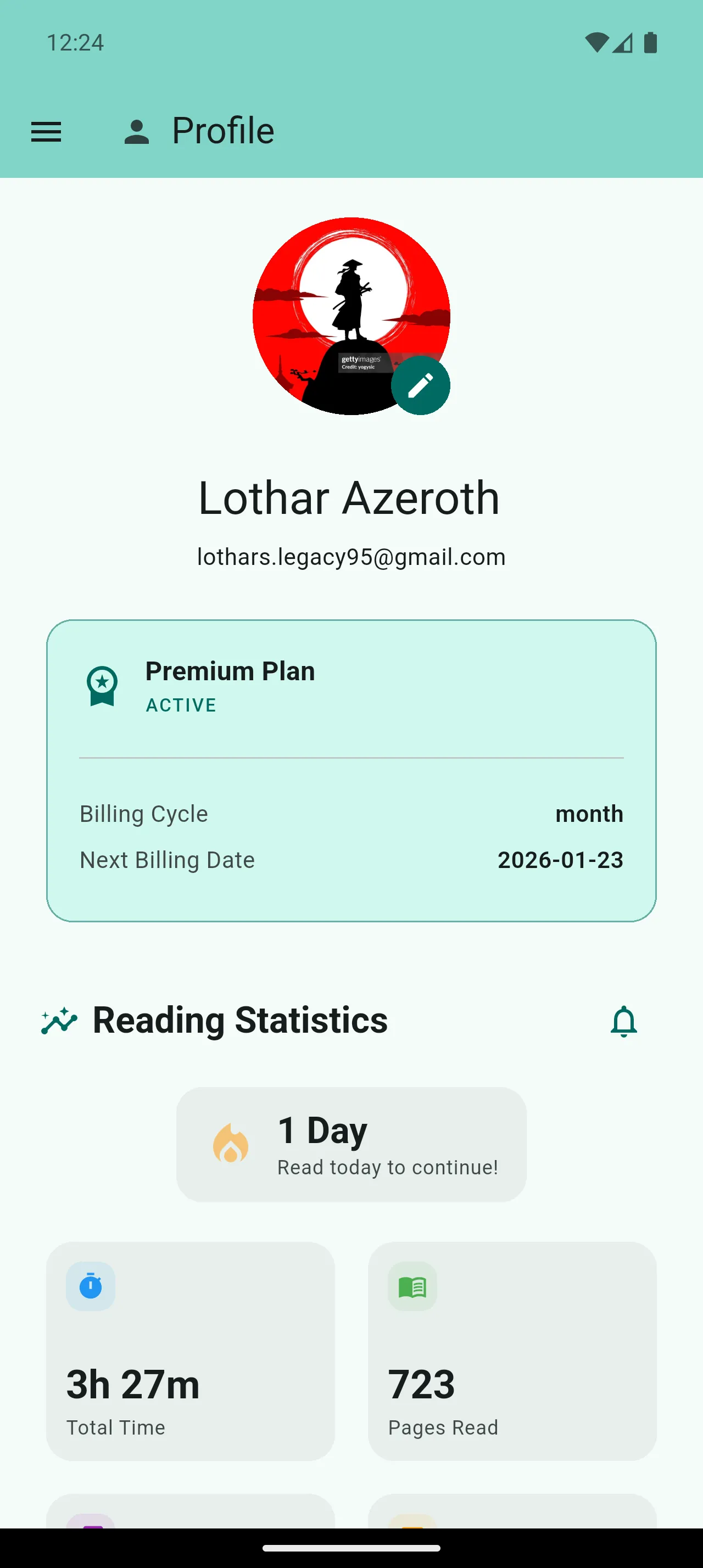
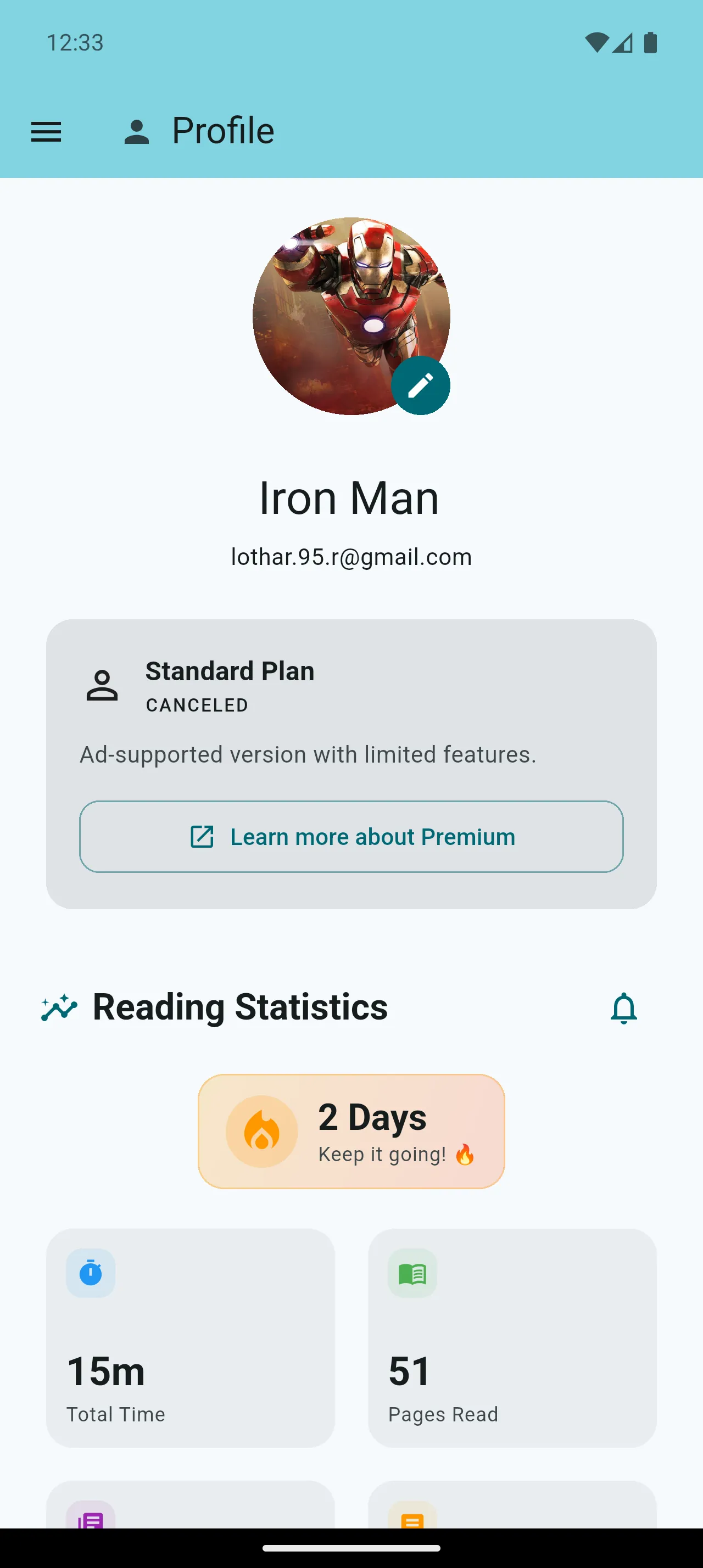
- Higher daily AI and article limits
- Ad-free experience
- Premium reading tools
Reading Statistics
Track your reading habits with comprehensive statistics. See your daily streaks, total reading time, pages read, and progress analytics.
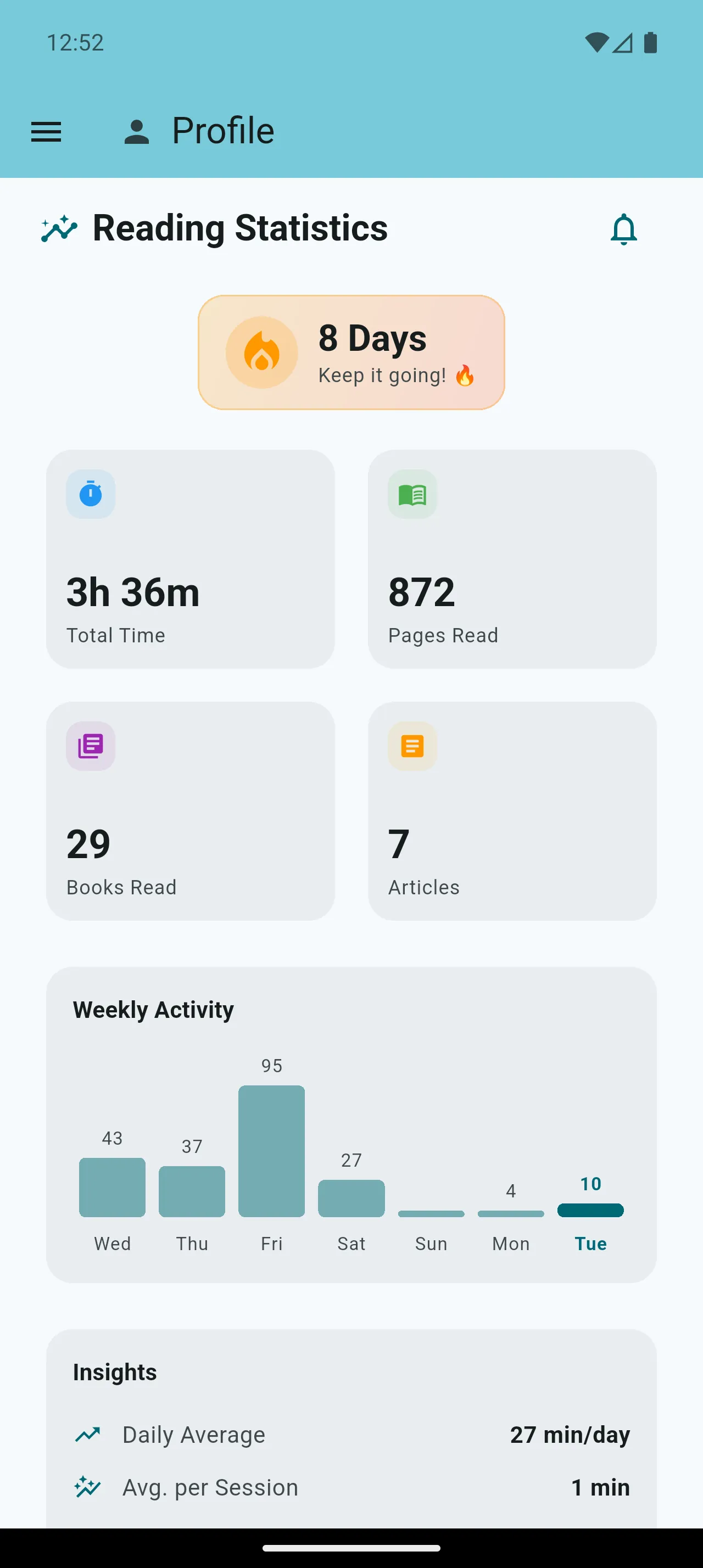
- Daily reading streaks
- Total time tracked
- Pages & books read
Reading Goals
Set personal reading goals to build consistent habits. Choose daily, weekly, or monthly targets and track your progress visually.
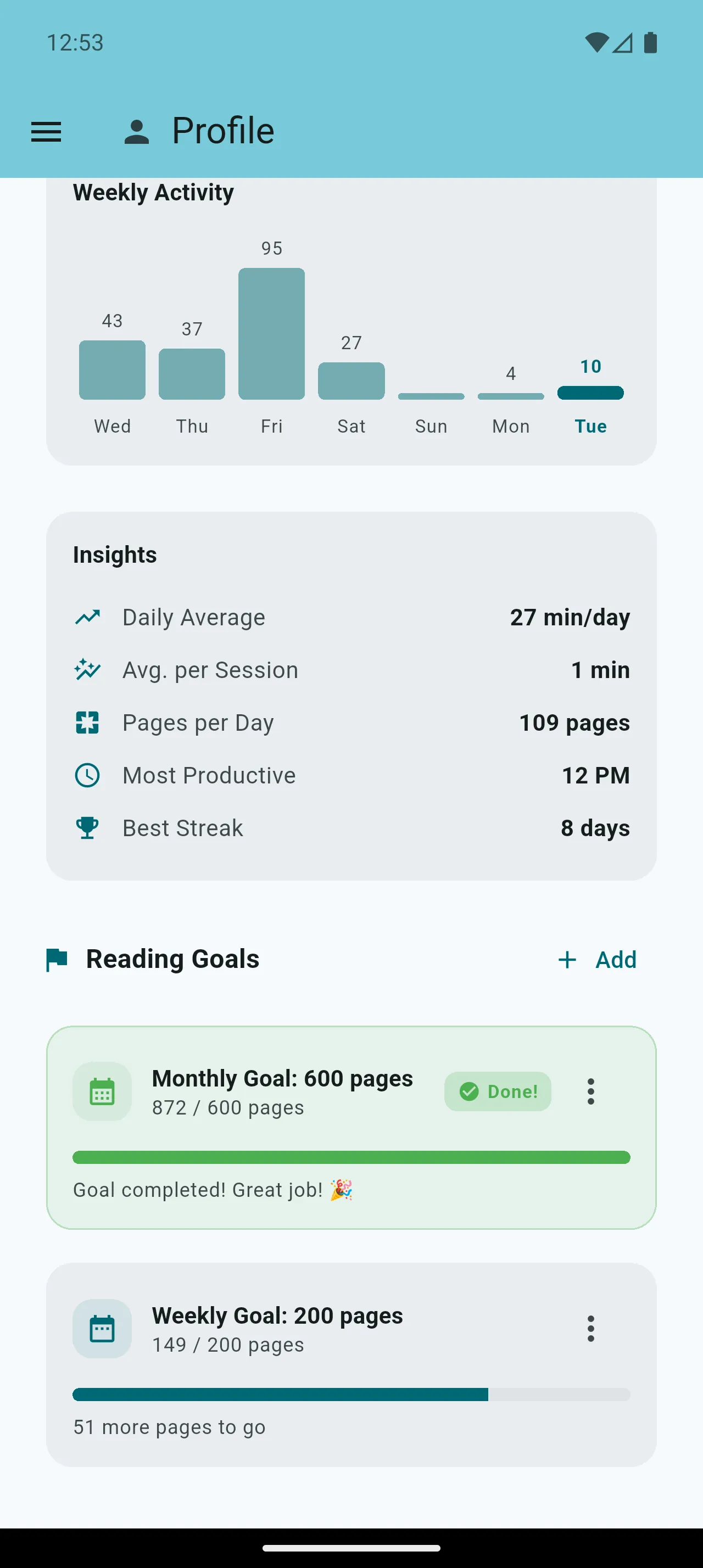
- Daily, weekly, monthly goals
- Customizable targets
- Free: 1 goal | Premium: Unlimited
Reading Notifications
Stay on track with smart reading reminders. Get daily reminders, streak alerts, and celebrate reading milestones.
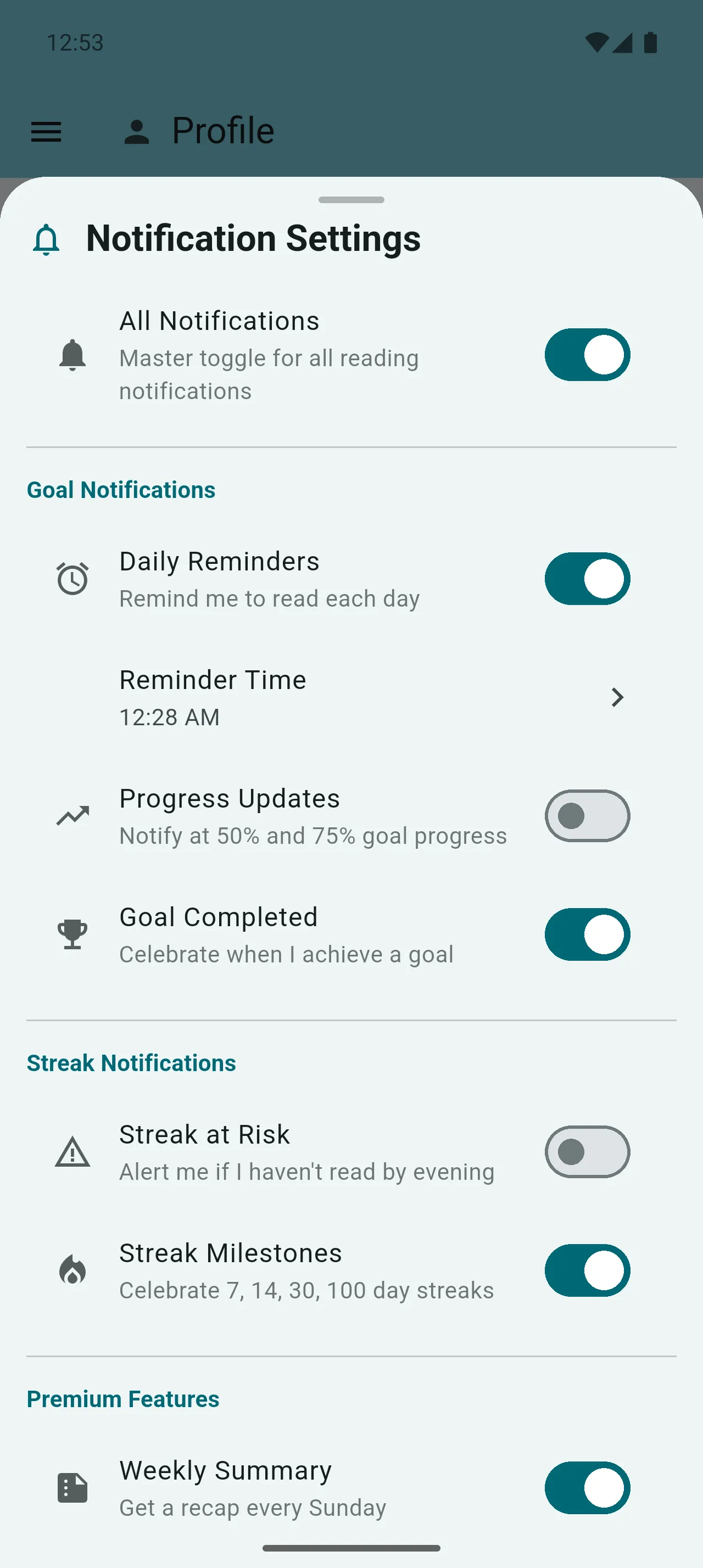
- Daily reading reminders
- Streak protection alerts
- Milestone celebrations
Highlights & Bookmarks
Mark and organize important passages. Use multi-color highlights and smart bookmarks that stay accurate even after font changes.
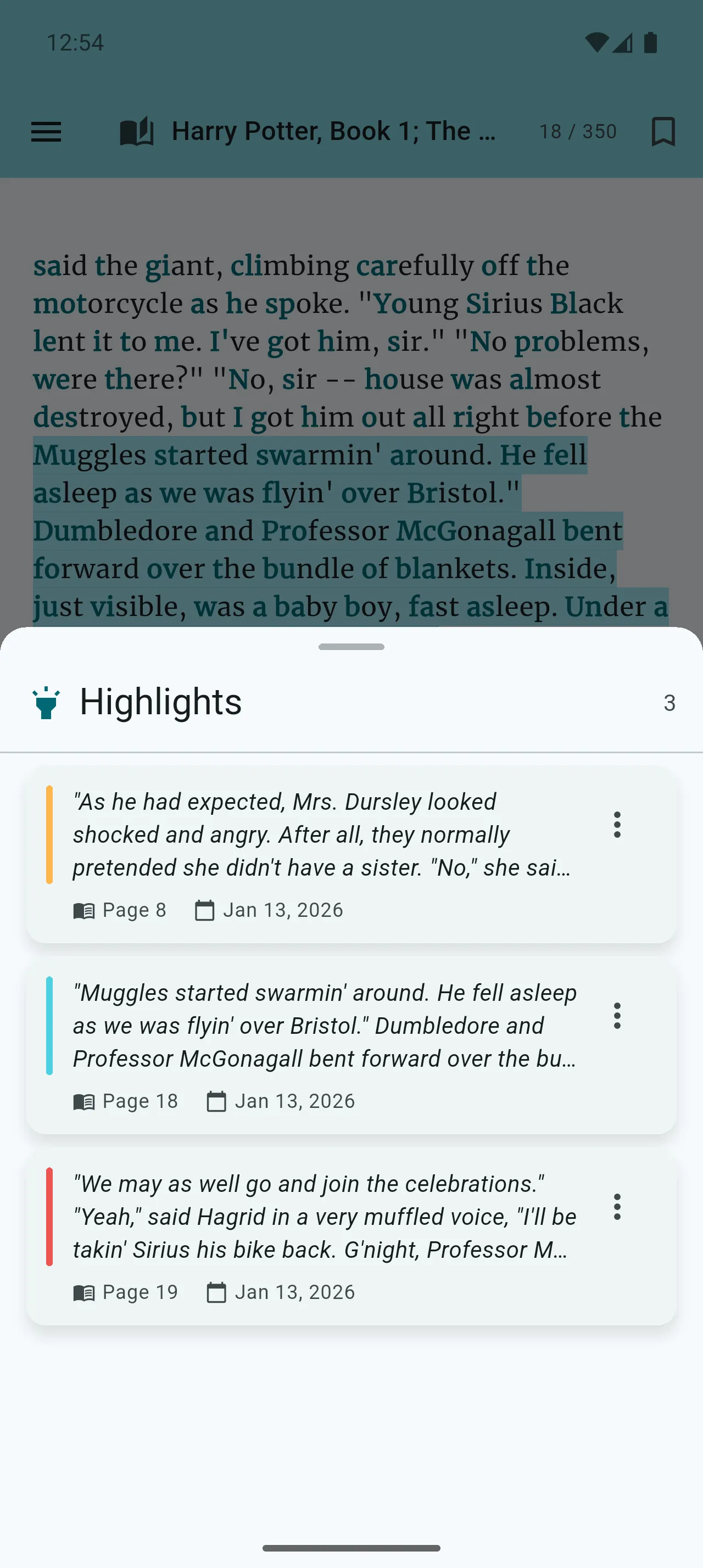
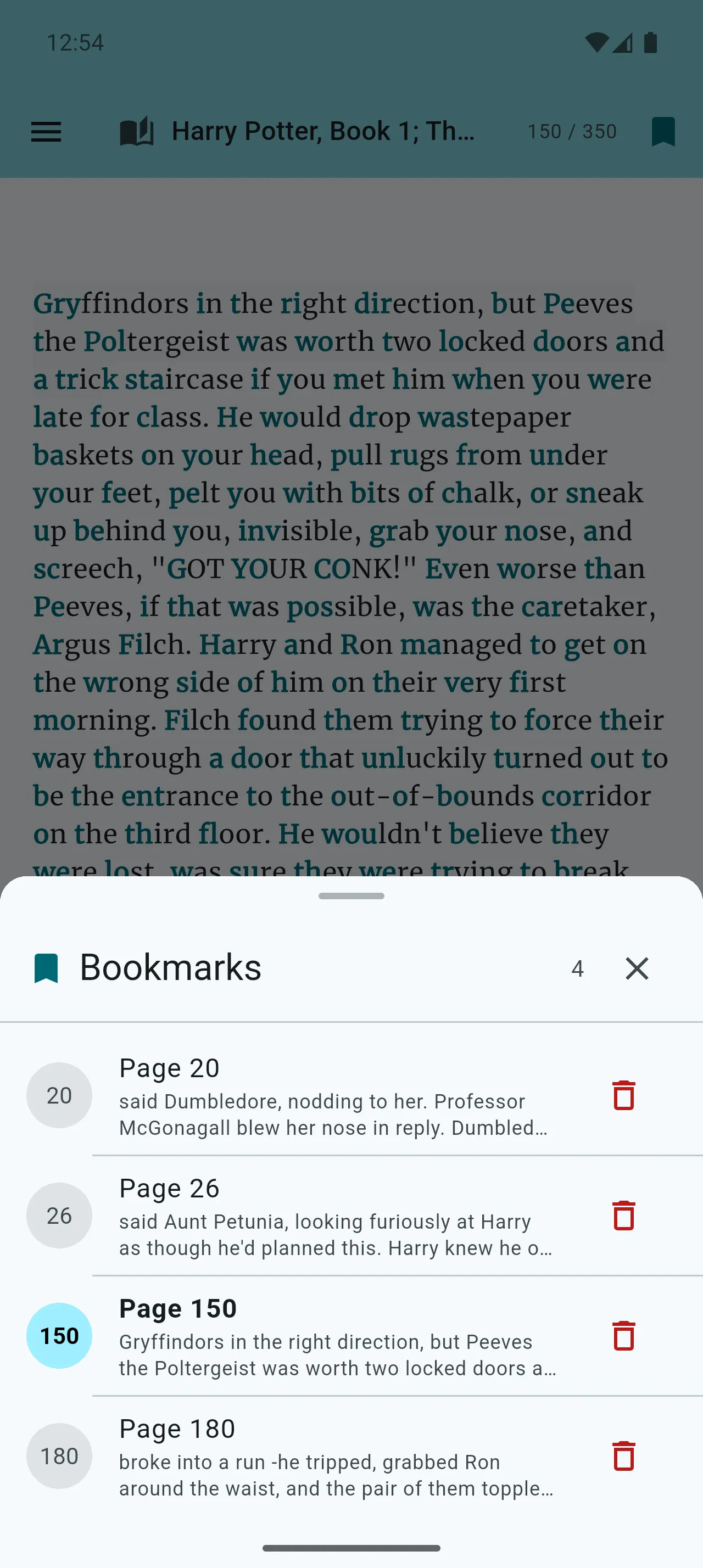
- Multi-color highlights
- Highlight panel access
- Smart bookmarks
In-Book Search
Find any text within your books instantly. Search entire book content and navigate directly to results.
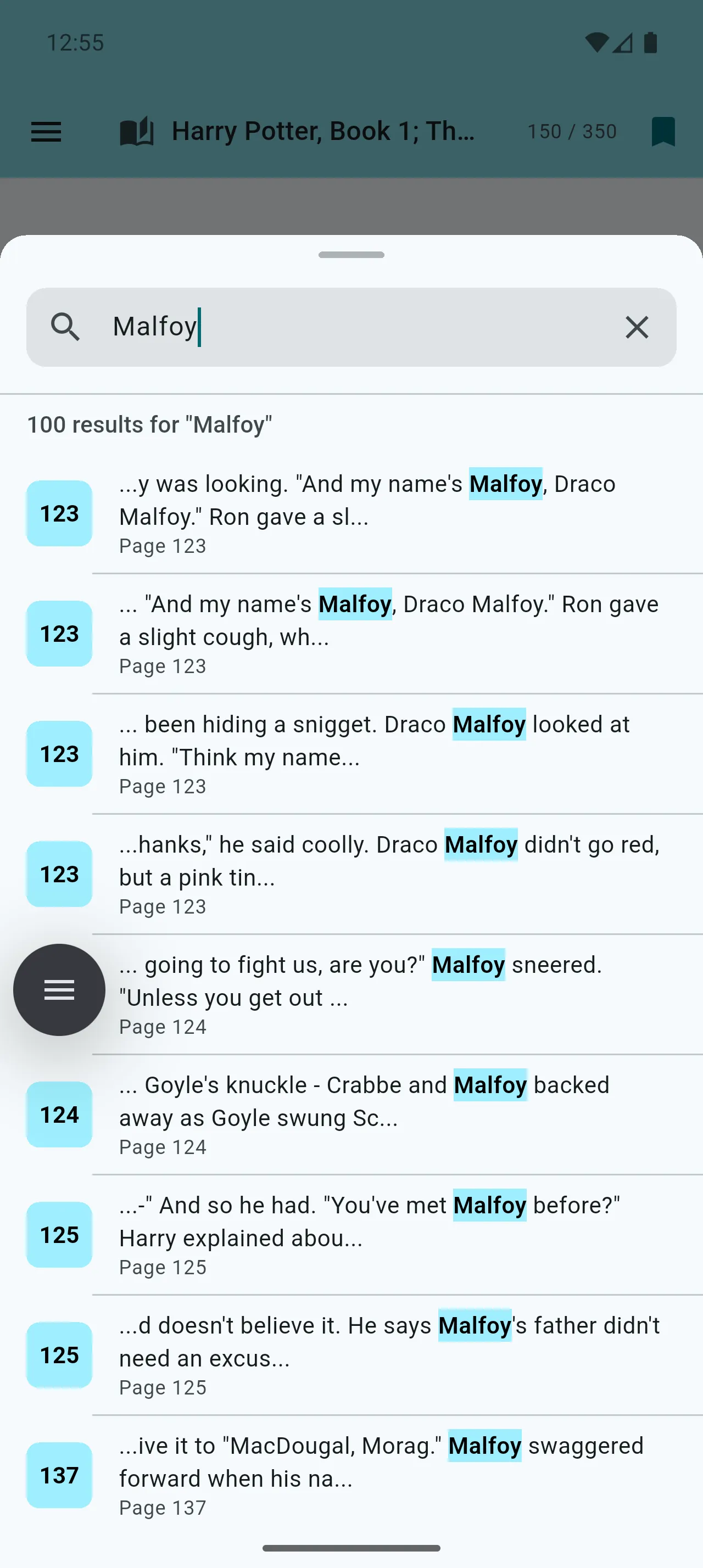
- Full-text search
- Jump to results
- Quick access from controls
Cloud Sync
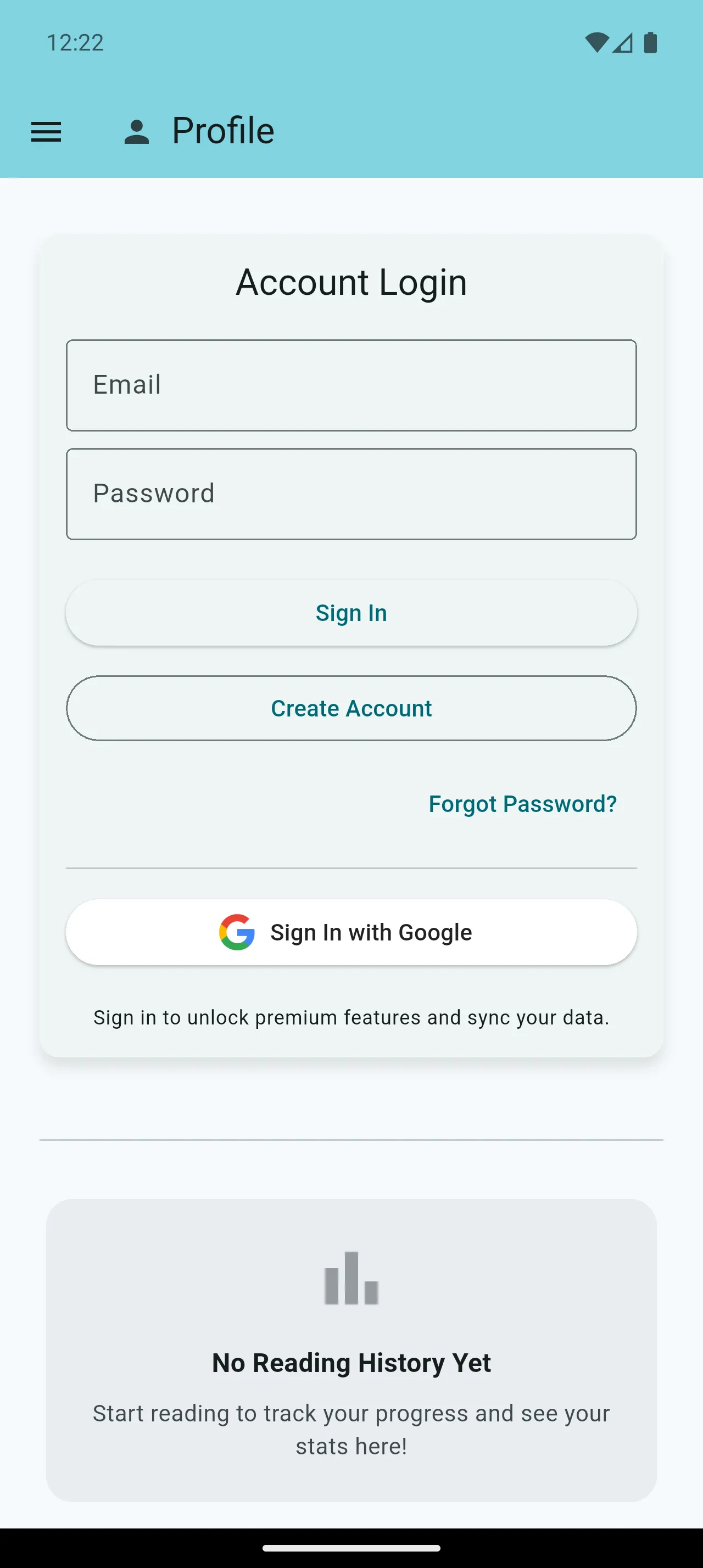
Cloud Sync is off by default. After you sign in and explicitly opt in, it can sync the reading categories you consent to across your devices.
- Optional after sign-in
- Books, articles, and reading progress
- Bookmarks and highlights
Simple, Transparent Pricing
Choose the plan that fits your reading needs.
Monthly Premium
3-day free trial
Premium reading tools with higher fair-use allowances for AI tools and article imports.
- Higher AI and article allowances
- Premium reading tools
- Ad-free reading
Annual Premium
Save 43% vs monthly
7-day free trial
Premium reading tools with higher fair-use allowances for AI tools and article imports.
- Higher AI and article allowances
- Premium reading tools
- Ad-free reading
🎁 Not Ready to Subscribe? Earn Premium Free!
Watch short video ads to unlock premium features like Speed Reader, AI Chat, Text-to-Speech, and more. Build daily streaks for up to 2x multiplied rewards!
Checkout is currently unavailable until Paddle grants written approval.
Loved by Readers Worldwide
See what our users are saying about their experience with Robo Reader
"The fixation reading format changed everything for me. I read research papers 40% faster and actually retain more. The AI summaries help me quickly decide which papers are worth a deep dive."

Sarah Johnson
Graduate Student
"I use Text-to-Speech during my commute to get through books I never had time for. The Speed Reader mode is perfect for catching up on articles during lunch breaks."

Michael Chen
Busy Professional
"The reading streaks and goals keep me motivated. I love that I can earn premium features by watching ads - got full access to the AI companion without paying a cent!"

Emma Wilson
Avid Reader
Frequently Asked Questions
Everything you need to know about Robo Reader
Website checkout is currently unavailable until Paddle grants written approval. If checkout is enabled later, Paddle will present the final price, applicable taxes, renewal terms, and available payment methods before you purchase.
Fixation Reading is a reading method that highlights the start of words in bold. This guides your eyes through the text and allows your brain to complete words automatically, significantly increasing reading speed and comprehension with less effort.
Use the built-in browser and tap the action button for clear "Reader View" and "Save for Later" options, or share articles from any external browser. When an article finishes importing, you get a notification with an "Open" button. Duplicates are detected automatically — if you save something twice, you'll be offered to open the existing copy.
Speed Reader uses Rapid Serial Visual Presentation (RSVP) to display text one word at a time. You can read at speeds from 100 to 1000 words per minute. The Optimal Recognition Point (ORP) highlighting helps your eyes focus on each word efficiently.
Text-to-Speech turns any book or article into an audiobook. Premium users get access to the natural Kokoro AI voice that works offline, while free users can use their device's built-in voice. The current word is highlighted as it's spoken.
Yes! Set daily, weekly, or monthly reading goals in the Profile section. Track your progress visually and build consistent reading habits. Free users can set 1 goal, while Premium users get unlimited goals. Reading and listening time both count toward goals.
Cloud Sync is off by default. After you sign in and explicitly opt in, Robo Reader can sync the reading categories you consent to: books, articles, bookmarks, highlights, reading progress, goals, and streaks.
Watch reward ads daily to build streaks and multiply your rewards! 3-day streak = 1.25x bonus, 5-day streak = 1.5x bonus, 7+ day streak = 2x bonus. All reward types (TTS time, AI credits, premium access) benefit from the multiplier.
Watch short video ads in the "Earn Rewards" section to unlock temporary premium access. Build daily streaks to multiply your rewards. This unlocks Speed Reader, TTS, AI features, and ad-free reading without any payment.
At launch, Premium includes up to 50 AI Reading Companion messages and 10 AI summaries per day, plus Premium TTS voices. Free users get lower daily allowances and can earn extra use by watching reward ads. Current limits are shown in the app.
Yes. Import a PDF from the Library, or choose Robo Reader when opening a supported PDF in Android. If Android offers an Always option, you can use Robo Reader as your preferred PDF app. Newly opened external PDFs are not added to your library unless you select Save to Library or Prepare for Speed Reading. Preparation runs in the background, and Reader View becomes available after it finishes.
Copy any text from any app, then open Robo Reader and tap "Paste from Clipboard." The text is instantly converted to fixation reading format so you can read it immediately with enhanced focus.
You retain Premium access until the end of your current billing period. After that, your account reverts to the free plan, but you keep all your imported books, articles, cloud-synced data, and reading history.
Currently, Robo Reader is available on Android via Google Play. We are actively working on an iOS version - stay tuned for updates!
Access Settings to adjust font size, font family, line height, spacing, and fixation strength (how much of each word is bolded). Free users can choose from 3 fonts, while Premium unlocks all 15 fonts. Use Quick Settings while reading to switch between Light and Dark modes instantly.
Robo Reader detects duplicates automatically. If you try to save an article you already have, you'll be offered to open the existing copy instead of creating a duplicate.
Yes! If you accidentally delete an article, an undo option appears instantly so you can restore it with one tap.
Still have questions?
Get in TouchGet in Touch
Have questions? We'd love to hear from you. Send us a message!